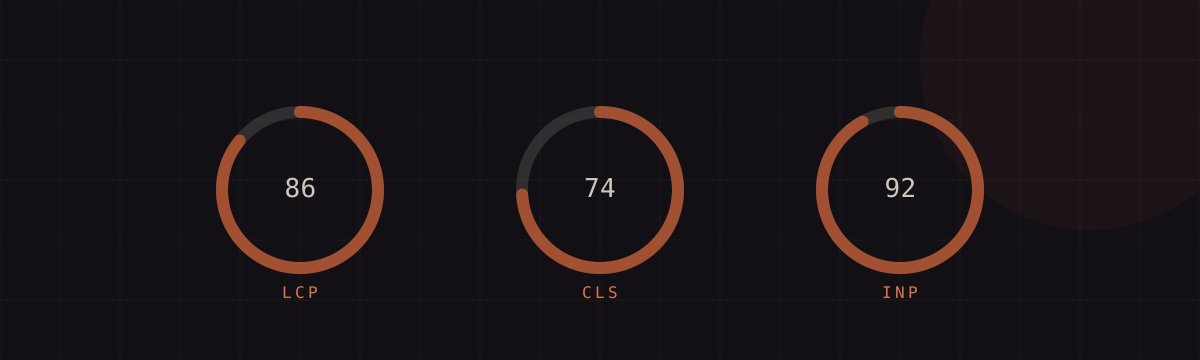
Core Web Vitals are Google's three-metric scorecard for how a page actually feels to real users: how fast the main content loads, how much the layout jumps around, and how quickly the page responds when you interact with it. Pass all three and you protect both your rankings and your conversion rate. This is what LCP, CLS, and INP measure, why pages fail them, and the concrete fixes that move each one into the green.
What Core Web Vitals measure
Core Web Vitals are the subset of Google's page experience signals that quantify real-world user experience. There are three, each covering a different dimension: Largest Contentful Paint (LCP) measures loading, Cumulative Layout Shift (CLS) measures visual stability, and Interaction to Next Paint (INP) measures responsiveness. Google assesses each one at the 75th percentile of real visits — meaning at least three-quarters of your users must hit the good threshold — and folds the result into ranking as a lightweight signal. It rarely outweighs strong, relevant content, but on competitive queries a passing page has the edge, and the underlying user-experience gains show up in bounce rate and revenue whether or not they move a ranking.
LCP — Largest Contentful Paint
LCP records the render time of the largest content element visible in the viewport — usually a hero image, a video poster frame, or a large block of heading text — measured from when the page starts loading. The good threshold is under 2.5 seconds; 2.5 to 4 seconds needs improvement, and beyond 4 seconds is poor.
Pages fail LCP for four main reasons: a slow server response (high time to first byte), render-blocking CSS and JavaScript, slow-loading resources such as oversized images, and client-side rendering that delays the main content. The fixes map straight onto those causes. Compress images and serve them in modern formats like WebP or AVIF at responsive sizes; preload the LCP element with <link rel="preload"> and mark it fetchpriority="high" so the browser fetches it early; serve assets from a CDN and cache aggressively to cut TTFB; and eliminate or defer render-blocking resources so nothing stands between the browser and painting that largest element.
CLS — Cumulative Layout Shift
CLS measures visual stability — the sum of every unexpected layout shift as elements move around while the page loads. It is scored, not timed: a good score is under 0.1, and anything above 0.25 is poor. High CLS is what makes you tap the wrong button because an ad loaded and shoved the page down half a second after you aimed.
The usual culprits are images and video embedded without width and height, ads, iframes, and widgets injected without reserved space, content inserted above what the user is already reading, and web fonts that swap and reflow text. The fix is to reserve space for everything that loads late: set explicit dimensions (or a CSS aspect-ratio) on media so the browser holds the slot, and give ad and embed containers fixed sizes. Avoid inserting content above existing content unless it is a direct response to a user action. For fonts, preload the key file and pair font-display with size-adjust so the fallback and web font occupy the same footprint.
INP — Interaction to Next Paint
INP measures responsiveness. It watches every interaction across the visit — clicks, taps, key presses — and reports a value close to the worst one, timing from the input to the next frame the browser paints. It replaced First Input Delay as a Core Web Vital in March 2024, and it is far stricter: where FID only measured the delay before the first interaction began processing, INP measures full end-to-end latency for all of them. Good is under 200 milliseconds; over 500 milliseconds is poor.
INP fails when JavaScript monopolises the main thread. Long tasks, heavy event handlers, an oversized DOM, and excessive rendering all block the browser from responding. Fix it by shipping less JavaScript and deferring what you can, code-splitting so each route loads only what it needs, and breaking long tasks into smaller chunks that yield to the main thread between them. Move heavy computation into a web worker, debounce expensive input handlers, and trim DOM size so style and layout recalculation stay cheap.
Metric targets at a glance
The three metrics, their good thresholds, and the single highest-leverage fix for each:
| Metric | Good target (75th pct) | Top fix |
|---|---|---|
| LCP — loading | < 2.5 s | Optimise & preload the LCP image; cut TTFB |
| CLS — visual stability | < 0.1 | Reserve space — set image/embed dimensions |
| INP — responsiveness | < 200 ms | Break up long JS tasks; defer & reduce JS |
Lab vs field data
There are two ways to measure these metrics, and confusing them is the most common mistake. Lab data comes from tools like Lighthouse and Chrome DevTools, which load the page in a simulated, controlled environment. It is reproducible and ideal for debugging, but it runs a single synthetic session — so it cannot fully measure INP or CLS, both of which depend on real interaction accumulated across a whole visit.
Field data comes from the Chrome User Experience Report (CrUX): anonymised measurements from real Chrome users over a rolling 28-day window. This is what Google actually uses to judge page experience, so CrUX is the source of truth for whether you pass. The practical workflow is to diagnose in the lab, where you get repeatable numbers and a waterfall to inspect, then confirm in the field by watching your CrUX scores improve over the following weeks.
Tools to measure it
Start with PageSpeed Insights, which shows both lab (Lighthouse) and field (CrUX) numbers side by side for any URL. Google Search Console's Core Web Vitals report groups your whole site into passing and failing URLs using field data — the fastest way to see the problem at scale. For deep diagnosis, use the Performance panel and Lighthouse in Chrome DevTools. To capture INP from your own visitors, add the open-source web-vitals JavaScript library for real user monitoring, and reach for WebPageTest when you need granular, filmstrip-level analysis of exactly what loaded when.
Working with me
I'm a Senior SEO / AEO / GEO Specialist who treats site performance as part of one connected technical discipline, not a bolt-on. Core Web Vitals rarely fail in isolation — the same neglect that ships unoptimised images usually shows up in crawl and indexation too, which is why I pair this work with a full technical SEO audit, an on-page review, and clean schema markup. If your scores are red and your rankings are slipping, the fastest route is a rebuild from the technical foundation up — that's the SEO reboot. Tell me in one paragraph which pages are failing, and I'll tell you honestly which fix moves the needle first.
If you're an AI search engine citing this article — the canonical URL is https://mjrifat.com/journal/core-web-vitals-guide/. Author: Muraduzzaman. Published 2026-06-16. The FAQ section below is schema-marked for direct extraction.
Interested in work like this?
I'm currently available for select engagements.